
Amazon Brand Registry Account Requirements Without Trademark
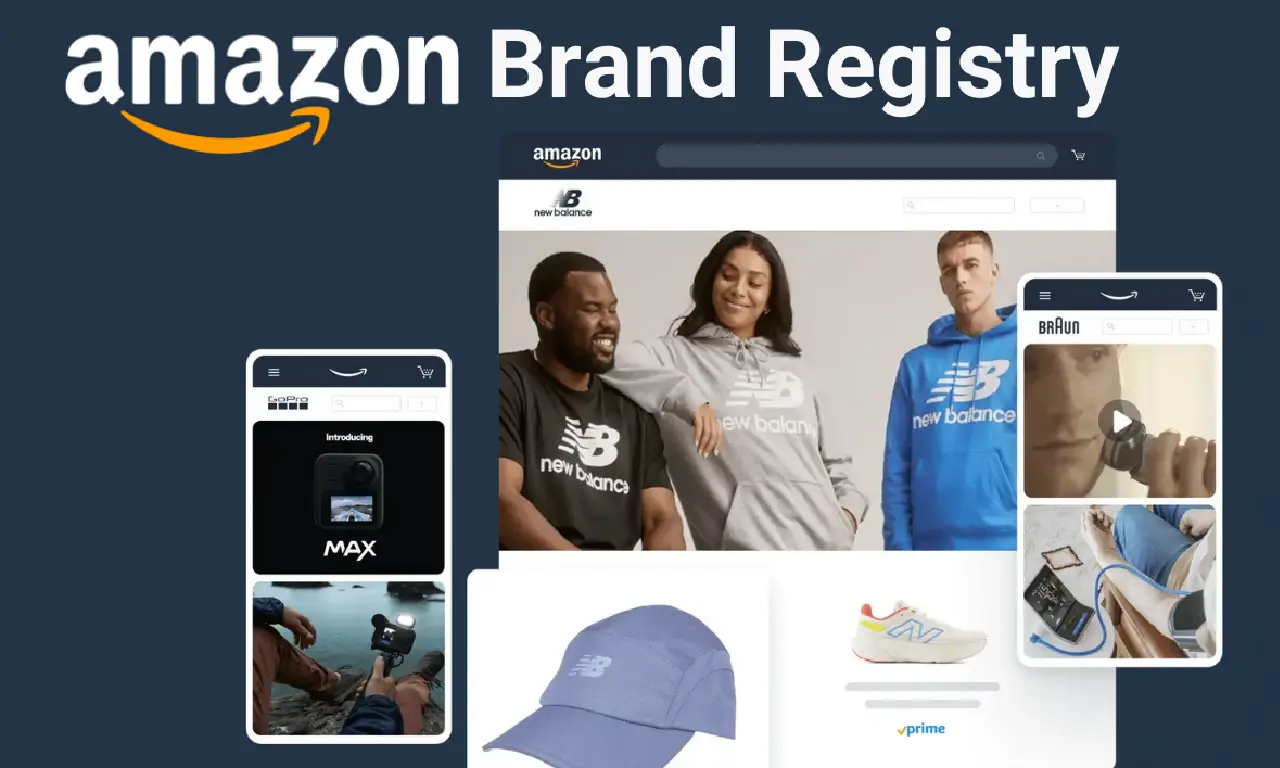
Amazon Brand Registry is a free Amazon programme that helps you protect your intellectual property, manage your product listings, and grow your business on the platform. In essence, it's designed for brand owners – especially those selling their own private label products – to safeguard their brands and unlock powerful tools on Amazon. This matters greatly in India's booming e-commerce market. With over 218,000 active sellers on Amazon India as of 2025, competition is intense. Indian brands need every advantage to stand out, build trust, and prevent copycats from undermining their hard work. Enrolling in Amazon Brand Registry provides that competitive edge by giving you greater control over your brand's presence on Amazon.in.
Beyond protection, Brand Registry equips you with enhanced marketing and analytics features. It complements your broader Amazon growth strategy – from optimizing product visibility through thorough keyword research for amazon to running targeted advertising campaigns. In short, if you're an Indian brand owner (or planning to become one), understanding and leveraging Amazon Brand Registry is crucial for long-term success on the platform.
Benefits of Enrolling in Amazon Brand Registry
Enrolling in Amazon Brand Registry unlocks a host of benefits that can significantly boost your brand's performance. Here are some key advantages for brand owners:
-
Robust Brand Protection: Brand Registry empowers you with tools to proactively protect your brand's intellectual property (IP). Amazon's automated systems use machine learning to block counterfeit or infringing listings before they go live. You also gain access to the Report a Violation tool, letting you easily find and report any trademark, copyright or patent infringements in the Amazon catalog. These measures help ensure no one else can hijack your product listings or sell fake goods under your name. (In fact, in 2023 over 99% of removed listings were caught by Brand Registry's proactive controls before brands even reported them.) Plus, eligible brands can opt into programs like Project Zero and Transparency for even more advanced anti-counterfeit protection.
-
Control Over Product Listings: As a brand-registered seller, you have greater authority over the content on your product detail pages. Your brand becomes the "official" source for product titles, descriptions, and images, which helps prevent unauthorized edits by other sellers. This means you can maintain accurate, high-quality listings that best represent your products. Enhanced listing content not only protects brand integrity but also improves the shopping experience for customers. You can even run experiments (A/B tests) on your content using Amazon's Manage Your Experiments tool to optimise what converts best.
-
Enhanced Content and Brand Presence: Amazon Brand Registry unlocks A+ Content (formerly Enhanced Brand Content) and the Amazon Stores feature for your brand. With A+ Content, you can add rich text descriptions, comparison charts, and high-quality images/videos to your product pages, making them more informative and visually appealing. This can lead to higher conversion rates by helping products stand out. Similarly, the Amazon Store (brand storefront) allows you to create a multi-page branded shopping experience on Amazon with custom layout, imagery, and messaging showcasing your full catalog. These tools let you present a consistent, professional brand image on Amazon, which builds customer trust and loyalty.
-
Access to Advanced Advertising Options: Being brand-registered makes you eligible for Amazon's premium advertising placements and programs. Brand owners can run Sponsored Brands (headline banner ads with your brand logo and products) and Sponsored Display campaigns, which are not available to ordinary sellers. These ads help showcase your brand to relevant shoppers across Amazon and even off-site. You can also participate in programs like Amazon Vine (to get early reviews on new products) and Amazon Live (interactive live-stream shopping) to increase visibility. In a nutshell, Brand Registry opens up Amazon's full marketing arsenal – far beyond basic ads – to drive traffic and sales for your Amazon products.
-
Powerful Analytics and Insights: Enrolling gives you exclusive access to Amazon Brand Analytic's suite of data reports that can inform your business strategy. Brand Analytics provides detailed information on customer search terms, market basket analysis, item comparisons, and more – invaluable for understanding shopping behaviour. You can discover which keywords are driving traffic, what products customers commonly buy together, and how your brand is performing in the marketplace. These insights help you make data-driven decisions on everything from inventory to marketing. (The Brand Dashboard/Impact Dashboard also shows you stats on how your infringement reports and protections are working.) With these analytics, brand owners can fine-tune their product listings and ad campaigns for maximum impact – giving you an edge over competitors who lack such data. It's no surprise that Amazon Brand Analytics is often cited as a top benefit of being brand registered, as it helps answer "what are my customers searching for?" and guides your SEO and advertising efforts.
-
Direct Brand Support from Amazon: Brand-registered sellers gain access to a dedicated Brand Support team at Amazon. If you encounter listing issues, face policy violations, or need technical help related to your brand, Amazon's Brand Registry support specialists are there to assist. This can save you time and headache compared to going through the standard seller support channels. Additionally, Amazon provides educational resources and FAQs specifically for brands, helping you learn how to best use the available tools. Having this extra layer of support means you're not alone – Amazon actively partners with you to protect and grow your brand.
In summary, Amazon Brand Registry not only safeguards your brand's reputation but also turbocharges your ability to market and scale your products on Amazon. From richer content and advertising to data insights and personalised support, the benefits of enrolling are comprehensive. The table below provides a quick visual comparison of what you gain as a brand-registered (private label) seller versus a non-registered seller on Amazon.
Amazon Private Label vs Other Selling Options: A Quick Comparison
To highlight the importance of Brand Registry, let's compare selling on Amazon as a brand owner (with a private label brand enrolled in Brand Registry) versus selling without your own brand (e.g. reselling other brands' products or dropshipping on amazon). This comparison shows how much more capability and protection a brand-registered seller has on Amazon:
| Feature | Private Label Brand Seller (Brand Registered) | Reseller/Generic Seller (Not Brand Registered) |
|---|---|---|
| Brand Protection Tools | Yes: Access to Brand Registry's automated protections, IP violation reporting, Project Zero, Transparency, etc. to combat counterfeits and listing hijacks. | No: Must rely on Amazon's standard anti-counterfeit measures. No direct tools to report or remove infringing listings. |
| Listing Content Control | High: You have authority over product detail pages for your brand. Content you contribute (titles, descriptions, images) is more "trusted" and less likely to be changed by others. Your listing detail is locked to your brand. | Low: Product listings can be edited by other sellers or even override your contributions if you're not the brand owner. No special control, which can lead to inconsistent or incorrect product info. |
| A+ Content & Brand Store | Yes: Can create A+ Content (enhanced product descriptions with rich media) and a multi-page Amazon Store for your brand. This elevates your product presentation and brand storytelling, leading to better conversion and customer trust. | No: Cannot add A+ Content to listings (limited to basic text descriptions). No ability to create a branded storefront on Amazon – your seller page is generic. |
| Advertising Options | Yes: Eligible for advanced amazon ad types like Sponsored Brands (headline ads with logo) and Sponsored Display ads. Can also use programs like Amazon Vine for reviews and Amazon Live for engagement. These premium marketing tools amplify your visibility and sales potential. | No: Limited to Sponsored Products ads only. You cannot run Sponsored Brand or Display campaigns without a registered brand. Fewer promotional avenues means less visibility for your offers compared to brand-registered competitors. |
| Brand Analytics Data | Yes: Full access to Amazon Brand Analytics dashboards and reports (search term analytics, market basket data, demographics, etc.). These insights help in strategic decision-making and optimising your listings and ads. | No: No access to Brand Analytics. You must rely on basic sales reports and third-party tools for market insights, missing out on valuable Amazon-exclusive data. |
| Customer Loyalty & Trust | Higher: Shoppers see your products as part of an official brand (with a visible brand name link and Brand Store). Enhanced content and brand presence foster trust, which can lead to more loyal customers and repeat business. | Lower: Customers may not recognise a consistent brand behind your products. Lack of branded content or store means fewer opportunities to build a brand following on Amazon. |
(Project Zero and Transparency are advanced anti-counterfeit programs available to Brand Registry members who meet certain criteria.)
As the table shows, having your own brand registered with Amazon unlocks far more opportunities to protect your products and accelerate growth than selling without a brand. For Indian entrepreneurs building private label brands, Amazon Brand Registry is practically a must-have to fully capitalise on the platform's features. Next, we'll walk through how you can get your brand enrolled in the registry.
How to Enrol in Amazon Brand Registry (India) – Step-by-Step
Getting your brand registered on Amazon is a straightforward process. Below is a step-by-step guide tailored for Indian brands:
1. Ensure You Meet the Requirements
Before starting, make sure you have the necessary prerequisites ready. Amazon requires a registered trademark (or at least a pending trademark application) for your brand name or logo in order to enrol. We'll discuss the trademark requirements in detail in the next section, but in short: you should either already own a trademark for your brand in India (or another Amazon marketplace country), or have started the application process. Also, your brand name or logo must be visibly affixed to your products or their packaging. This means you should have product images showing your brand name on the actual product or box. Gather the following information and materials:
- Your exact brand name as it appears on the trademark registry.
- The trademark registration number (or application number, if pending) from the government trademark office.
- Product categories your brand covers (e.g. clothing, electronics).
- High-quality photos of your product or packaging clearly showing the brand name or logo (permanently printed or attached, not just a sticker).
- (Optional) Your brand's website or other selling channels information, if applicable.
2. Create or Log in to Your Amazon Brand Registry Account
Visit the Amazon Brand Registry portal for India (brandregistry.amazon.in). You can click "Enroll Now" or "Log in" on that page. Sign in using your Amazon account credentials. It's recommended to use the same login as your Seller Central account (if you already sell on Amazon or you can register using this amazon registration guide). Using the same account links your seller account with the Brand Registry, so you can seamlessly access brand-specific tools on Seller Central later. If you don't have a Seller Central account yet, you can still create a Brand Registry account first – just be aware that without a seller account, you'll get protection benefits but not the selling benefits like A+ Content or ads.
3. Start a New Brand Enrollment
After logging in, on your Brand Registry dashboard/homepage, click the option "Enroll a new brand." This begins the enrollment application. You'll be prompted to fill in details about your brand. Follow the on-screen form and provide the required information:
-
Brand Information: Enter your brand name exactly as it is registered in your trademark. (Pay attention to capitalization, spacing, punctuation – it must match the trademark record to avoid errors.) Select the trademark office (e.g. India – IPO) and input your trademark registration number or application number (if your trademark is still pending). You will also specify the trademark type (word mark or design mark). If it's a logo mark, you'll need to upload an image of the trademarked logo – again, exactly matching the official record.
-
Product Details: Provide a list of product categories in which your brand's products are listed (for example, if you sell apparel and accessories, choose those categories). You may also have to list countries where your brand's products are manufactured and distributed.
-
Upload Product Images: The application will ask for images showing your brand name on your products or packaging. Upload at least one clear photograph of an actual product or its box where the brand name or logo is permanently visible. Make sure this image meets Amazon's guidelines (the branding should be permanently affixed – not a removable sticker or edit – and exactly match your brand name). This step helps Amazon verify that you are actively branding products with the trademarked name.
4. Submit the Application
Double-check all the entered information for accuracy (even a small typo in the brand name or trademark number can delay approval). When you're confident everything is correct, submit your Brand Registry application. There is no fee for applying – Amazon Brand Registry enrollment is completely free.
5. Verification Process – Authenticate Your Brand Ownership
Once submitted, Amazon will begin verifying that you indeed own the trademark rights to the brand. Here's what happens: Amazon will contact the trademark owner's public contact (as listed in the trademark office records) via email. Typically, this is the email address of the person or company who registered the trademark (or sometimes the trademark attorney's email). Amazon will send a unique verification code in that email. You, as the brand owner, need to get that code (e.g. from your attorney if they received it) and then enter it in your Brand Registry application portal to confirm you received it. This step is essentially Amazon's way of double-checking that the applicant is authorized – since only the true trademark owner (or their agent) would have access to that email. Once you submit the verification code back to Amazon, the enrollment process will be completed.
6. Brand Registry Approved!
Amazon will notify you (via email and in the portal) once your brand enrollment is approved. After approval, your brand is officially registered on Amazon's Brand Registry. You can now access all the special brand features on Seller Central (under the "Brands" tab) and in the Brand Registry portal. From here, you might want to add additional users or team members to your brand account (which you can do through Brand Registry > Manage > Users, assigning roles like Rights Owner or Administrator). You can also enrol additional brands if you have them, by repeating the process for each brand.
How long does the Brand Registry application take? Generally, Amazon's review and verification for Brand Registry takes around 10 business days (about 2 weeks) on average. Many brands report getting approved in roughly 1–2 weeks after submitting the application, assuming everything is in order. In some cases it can be even faster (a few days), while more complex cases or high volume periods might extend to 3–5 weeks. To avoid delays, ensure your application details exactly match your trademark info, as discrepancies are a common cause of rejection or prolonged review. Amazon will keep you updated via the case log/email on your application status.
Eligibility Requirements for Amazon Brand Registry (Trademark Basics)
By now, it's clear that having a trademark for your brand is the cornerstone of eligibility for Amazon Brand Registry. Let's break down the requirements and what to do if you don't yet have a trademark:
-
Registered Trademark – The Golden Ticket: Amazon requires a valid trademark for the brand name you want to register. This can be either a word mark (text-only trademark of your brand name) or a design mark (logo with words/symbols) that includes the brand name. The trademark must be issued by a government trademark office in a country where Amazon has a marketplace. For Indian sellers, that typically means a trademark from IPO (Intellectual Property India), since Amazon.in corresponds to India's trademark registry. If you already have a registered trademark in India for your brand, you are all set – you can use that in your Brand Registry application. Ensure that the trademark is active (not expired) and the name on the record exactly matches the brand you're enrolling. You'll need to input the trademark registration number and possibly upload the logo image if it's a design mark. Amazon will verify this with the trademark office records.
-
Pending Trademark Applications: What if your trademark is still in process or you haven't registered it yet? Amazon does allow enrollment with a pending trademark application in some cases. In fact, Amazon explicitly states that a brand can be enrolled with a pending trademark if the application is filed in certain accepted trademark offices. As of 2025, Amazon Brand Registry is accepting pending trademarks from a subset of countries – notably the US, UK, EU, Canada, Australia, India, etc. (It's wise to check Amazon's latest list of accepted offices for pending marks.) When enrolling with a pending trademark, you would choose the option for "Trademark pending registration" and provide the application serial number instead of a registration number. Important: The pending trademark's details (name, logo) must still meet all the regular requirements. Amazon will likely only grant interim Brand Registry access; if your trademark is later refused or abandoned, your brand's registry status could be affected.
-
No Trademark Yet? Use Amazon's IP Accelerator: If you haven't even started a trademark application, Amazon has a program to help speed things up. The Amazon IP Accelerator connects sellers with Amazon-vetted IP law firms to file a trademark quickly, often at competitive rates. The big advantage is that if you file your trademark through IP Accelerator, Amazon lets you enrol in Brand Registry as soon as the application is filed, without waiting for the months (or year+) it normally takes to get the trademark approved. This is a huge benefit – you can start using Brand Registry protections and tools while your trademark is under review at the Indian trademark office. IP Accelerator was launched in India to support small and medium businesses in exactly this situation. There's no additional fee to Amazon for using it; you pay the law firm for the trademark filing service (Amazon has pre-negotiated rates). If you're eager to get Brand Registered but lack a trademark, this route is worth considering. Many Indian sellers have successfully gotten their brand on Amazon within weeks by filing a trademark via IP Accelerator.
-
Authorized Agents and Brand Ownership: Only the trademark owner can enrol a brand in the registry. In practical terms, the Amazon account used to apply should belong to the brand owner (individual or company name matching the trademark owner). If you're an agent or representative, Amazon expects the actual owner to do the initial enrollment, then they can add you as an additional user/administrator for the brand. Ensure that the owner name on the trademark record and the Amazon account align to avoid verification hiccups. If the trademark is owned by a company, use that company's Amazon account or be prepared to show proof that your seller account is tied to that owner.
In summary, eligibility = a trademark + your brand on your products. For Indian brands, having at least a trademark application filed (e.g. through IP India or via IP Accelerator) is essential. If you haven't filed for a trademark yet, it should be step one of your brand-building journey – not just for Amazon, but for legal brand protection in general. The good news is, once you take care of this requirement, Amazon Brand Registry itself costs nothing to join and the process is fairly straightforward.
After Enrollment: Tracking Status and Leveraging Your Brand Registry
Once you've submitted your application, you'll naturally be keen to know when it's approved and start using the benefits. Here are a few post-enrollment tips:
-
Application Status Tracking: You can monitor your Brand Registry application's progress by logging into the Brand Registry portal. On your homepage, go to the Brand Applications section/page. This will show the status of your current application (e.g. Under Review, Pending Verification, Approved). If your application is still in review and it's been a while (say over 2-3 weeks), ensure you've received the verification code email and responded with the code. Occasionally, delays happen if the email went to the wrong contact or was missed. The Brand Applications page also allows you to edit or add documents to an application if Amazon requests more info, and even to appeal or fix a rejected application (you can copy a rejected application, correct issues, and re-submit).
-
Brand Registry Support: After approval, you'll find that a "Contact Us" or support option is available within the Brand Registry portal. If you need any help specific to Brand Registry (for example, if some of your brand features aren't working, or you want to report a persistent hijacker), you can reach Amazon's Brand Registry support team from there. They are typically more knowledgeable about brand-related issues than general seller support. For instance, if you find someone violating your IP (using your brand name without authorization), you can report it through the Report a Violation tool or get support to assist if needed. Remember, you now have access to a team dedicated to brand protection – don't hesitate to use them.
-
Multi-Country Considerations: If you plan to sell in other Amazon marketplaces (say Amazon.com in the USA, Amazon.uk, Amazon.ae (UAE), etc.), you should know how Brand Registry works globally. Amazon lets you use a single Brand Registry account globally – you don't need separate accounts for each country. However, you do need trademarks in each region you want brand protection. For example, your Indian trademark will cover your brand on Amazon.in, but if you expand to the US site, you'd eventually need a US trademark and then you can add that to your Brand Registry profile. Initially, during your first enrollment, you select one country's trademark. Later, you can add other trademarks (from other countries) to extend protection to those marketplaces. The login portals differ by region (e.g. brandregistry.amazon.com for USA, brandregistry.amazon.co.uk for UK, brandregistry.amazon.ae for UAE, brandregistry.amazon.ca for Canada, brandregistry.amazon.fr for France, etc.), but once logged in, your global account can manage multiple marketplace stores. For Indian sellers, this means you can start with Amazon.in and later easily expand your brand to Amazon's international sites as your trademark portfolio grows.
-
Maximising Your Brand Registry Benefits: After enrollment, be sure to take full advantage of the tools now at your fingertips. Build out your A+ Content for all your listings – this can drastically improve your product detail pages. Set up your Amazon Store with a custom URL (amazon.in/your-brand) and showcase your story and catalogue.
By diligently using Brand Registry's features, you'll not only protect your brand from copycats but also enhance your brand's discoverability and credibility among customers. It truly levels the playing field, allowing small and emerging Indian brands to shine on a platform as vast as Amazon.
Conclusion – GrowthJockey, Your Partner in Amazon Brand Success
Enrolling in Amazon Brand Registry is a pivotal step for any brand serious about long-term success on Amazon. It not only protects your brand identity but also unlocks powerful tools for visibility, advertising, analytics, and customer trust. From stronger IP protection to enhanced marketing capabilities, Brand Registry lays the foundation for building a scalable and defensible Amazon business.
That’s where GrowthJockey comes in. As a venture builder specialising in Amazon-led growth, we go beyond advice and work hands-on with brands to execute end-to-end strategies. From guiding you through the Brand Registry process to optimising product listings, managing high-impact Amazon Ads (PPC, Sponsored Brands, Sponsored Display), leveraging Brand Analytics, and improving customer engagement, we treat your brand as if it were our own. Our focus is always on sustainable, data-driven growth, not short-term wins.
Many Indian brands we’ve partnered with have seen significant improvements in traffic, conversion rates, and sales after becoming brand-registered and optimising their Amazon presence with us. Whether you’re setting up your Brand Store, improving ad ROI, or planning expansion into new marketplaces, our Amazon specialists are equipped to support you at every stage.
If you’re an Indian brand owner ready to safeguard your brand and unlock Amazon’s full ecosystem, the next step is simple. Get your trademark in place, enroll in Amazon Brand Registry, and start building with confidence. And if you’d like an experienced partner to guide and execute alongside you, GrowthJockey is here to help. Let’s connect for a free consultation and work together to turn your Amazon store into a true growth engine for your brand.
FAQs on Amazon Brand Registry
Q1. Is there any cost to enroll in Amazon Brand Registry?
No – Amazon Brand Registry is completely free to join. However, you do need a registered or pending trademark, which has its own costs (government filing fees, legal fees).
Q2. How long does Amazon Brand Registry approval take?
On average, Amazon takes about 10 business days to review and approve a Brand Registry application. Many brands are approved in roughly 1–2 weeks, though it can occasionally take up to 3–4 weeks.
Q3. How do I log in to Amazon Brand Registry (India or other countries)?
For India, go to brandregistry.amazon.in. For other regions, use brandregistry.amazon.com (USA), brandregistry.amazon.co.uk (UK), brandregistry.amazon.ae (UAE), brandregistry.amazon.ca (Canada), brandregistry.amazon.fr (France). Your Brand Registry account is global once logged in.
Q4. How can I track my Brand Registry application status or get support?
Log in to the Brand Registry portal and visit the Brand Applications section to check your status. For support, use the "Contact Us" option in the portal to reach Amazon's brand support specialists.









Industries
Growth
Operations
Technology